streamlit-mcp
Serve any Streamlit app as an MCP server. Agents introspect your app's widgets, set
values, click buttons, and read the rendered output and session_state — natively, over MCP,
with no browser automation.
pip install streamlit-mcp # or run with no install via: uvx streamlit-mcp ...
# serve an app over MCP (stdio for local clients)
streamlit-mcp serve app.py
# ...or HTTP/SSE on loopback for local networked agents
streamlit-mcp serve app.py --transport http --port 8000

# drive it yourself from the terminal (same engine the agent uses)
streamlit-mcp inspect app.py
streamlit-mcp call app.py --set "Name=agent" --click "Save" --read
Streamlit has no callback graph — it reruns the whole script per interaction — so streamlit-mcp
drives the app headlessly through Streamlit's own test runtime (streamlit.testing.v1.AppTest)
and returns the semantic element tree, not pixels. Gradio and Dash already shipped native
app-as-MCP; this fills the Streamlit gap.
See it
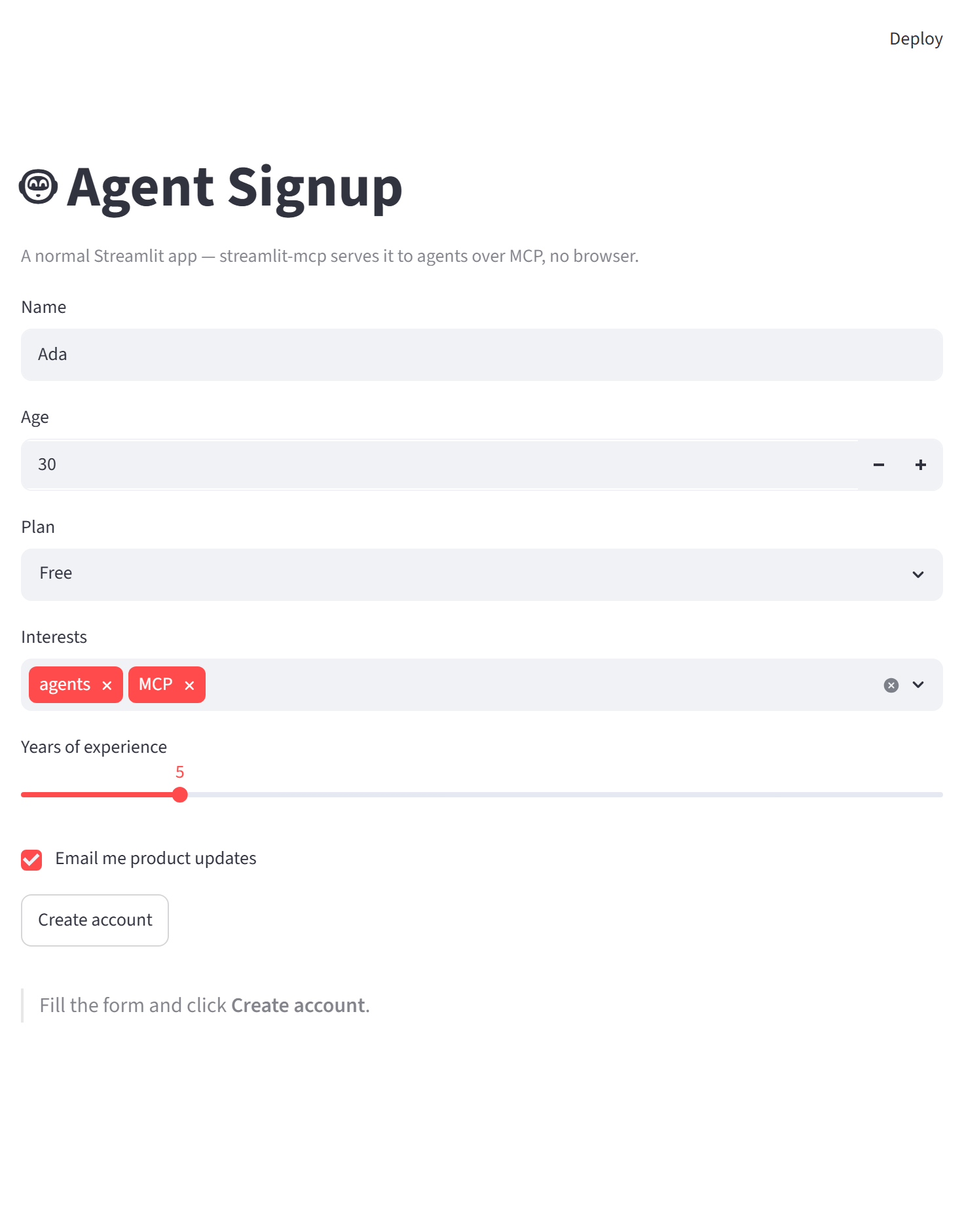
A normal Streamlit app — the kind a human opens in a browser:
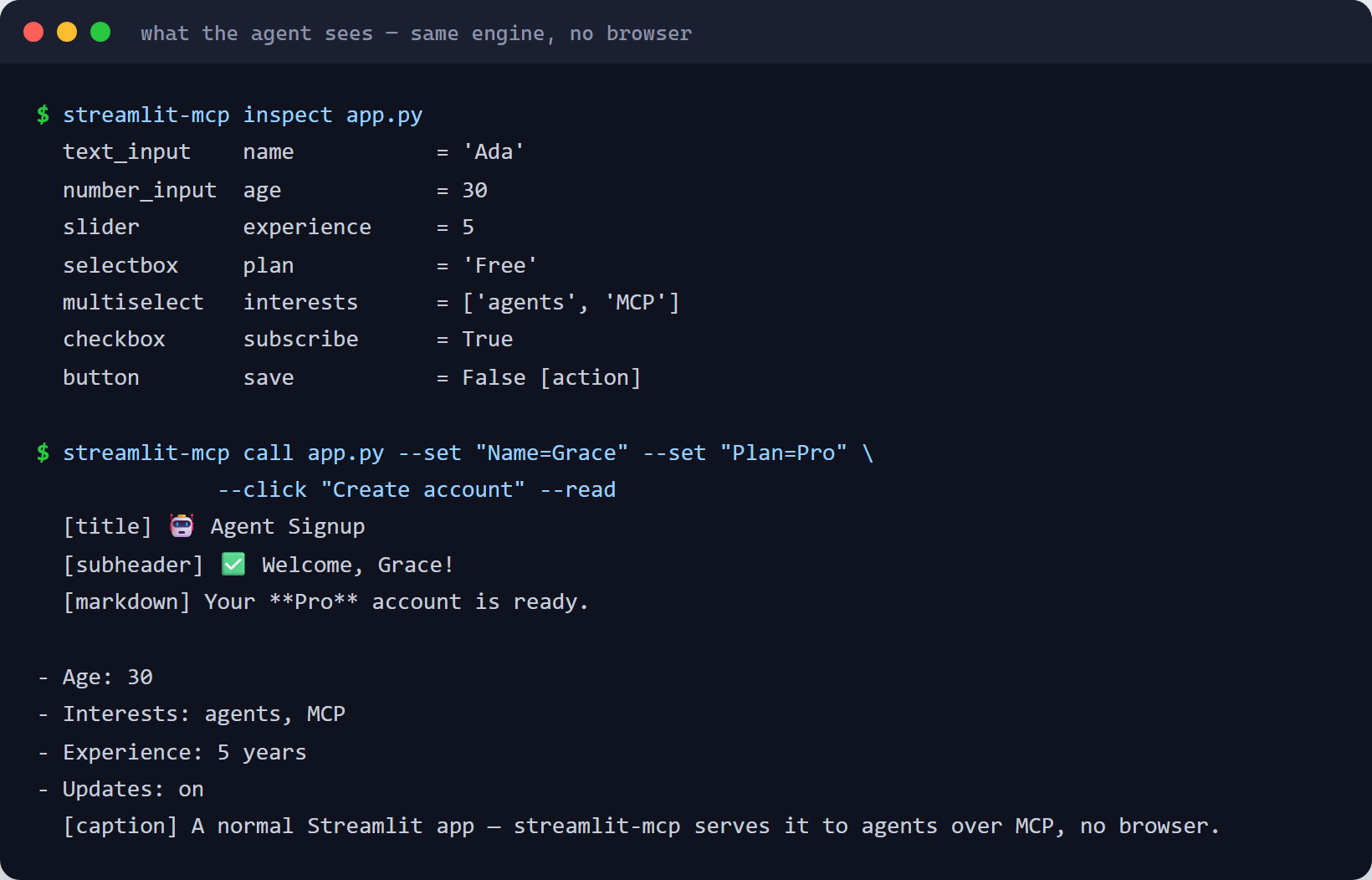
The same app, driven by an agent over MCP — inspect to see the widgets, call to set values,
click a button, and read the rendered result. No browser, no pixels:
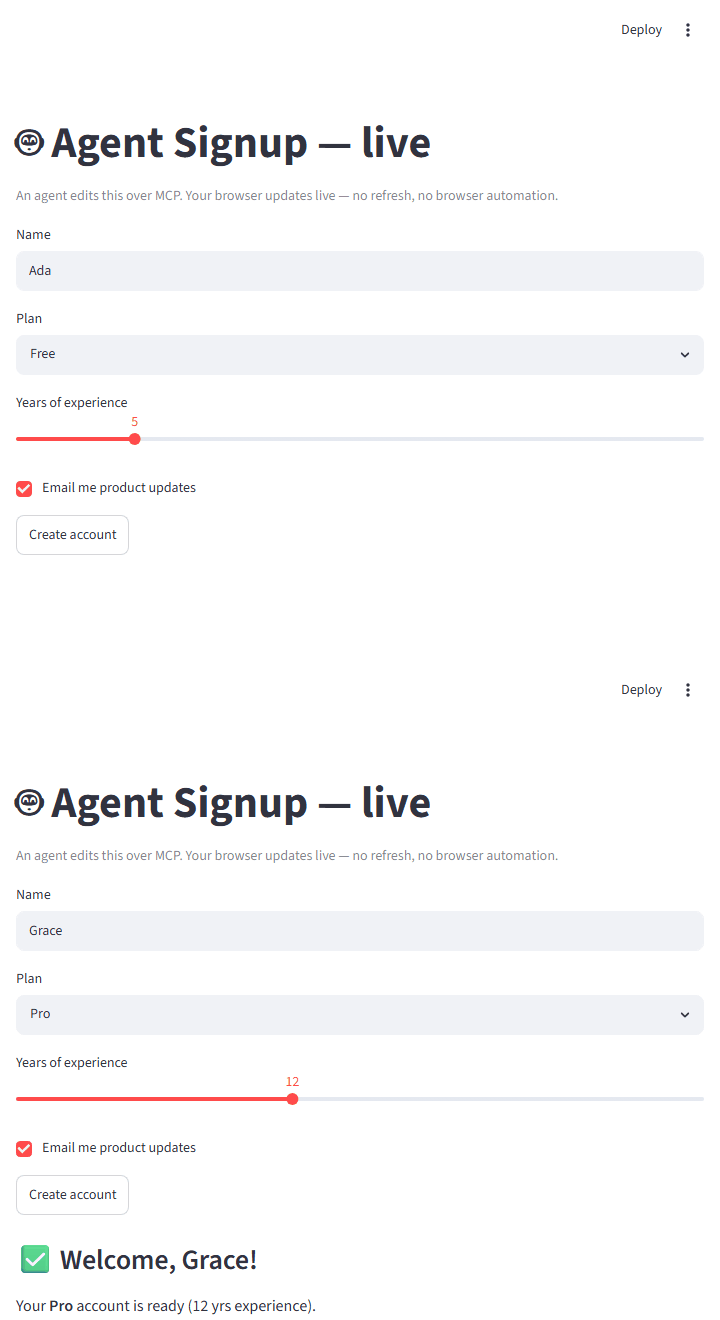
…and a human can watch the agent work live in their browser — no refresh, no browser automation (how):
The agent can even add components and rearrange the layout by driving state the app branches on (how).
Why it's nice
- No browser, no pixels. Agents get a structured element tree and
session_state, not screenshots. - Human ↔ agent parity. Everything an agent can do over MCP, a human can do via the CLI — both call the same engine, and the guardrails apply identically.
- Atomic, honest writes. An invalid option or out-of-range value is rejected up front with a
clear error; a failed
set_widgetnever poisons a long-lived session or silently mutates state. - Enforced auth. A
--bearer-tokenis actually required on HTTP/SSE (401 otherwise).