JupyterLab — langstage-jupyter
The JupyterLab stage: a chat sidebar that gives your LangGraph agent access to notebooks and files, for natural-language data-science work without leaving the lab.
dkedar7/langstage-jupyter PyPI
Quickstart
Instead of jupyter lab, use the launcher. It picks a free port, generates an auth
token, sets the environment the sidebar needs, and starts JupyterLab:
pip install langstage-jupyter

langstage-jupyter --demo                      # keyless echo agent
langstage-jupyter -a my_agent.py:graph        # your agent
langstage-jupyter                             # the default agent (needs ANTHROPIC_API_KEY)
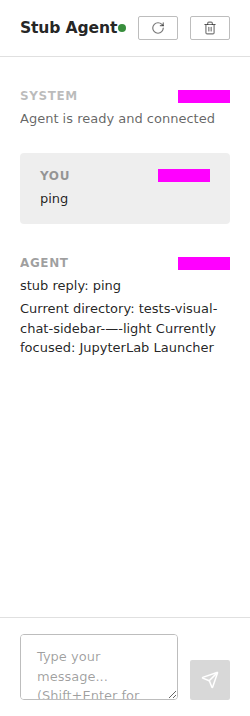
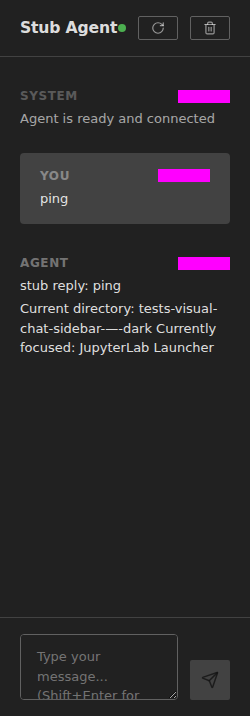
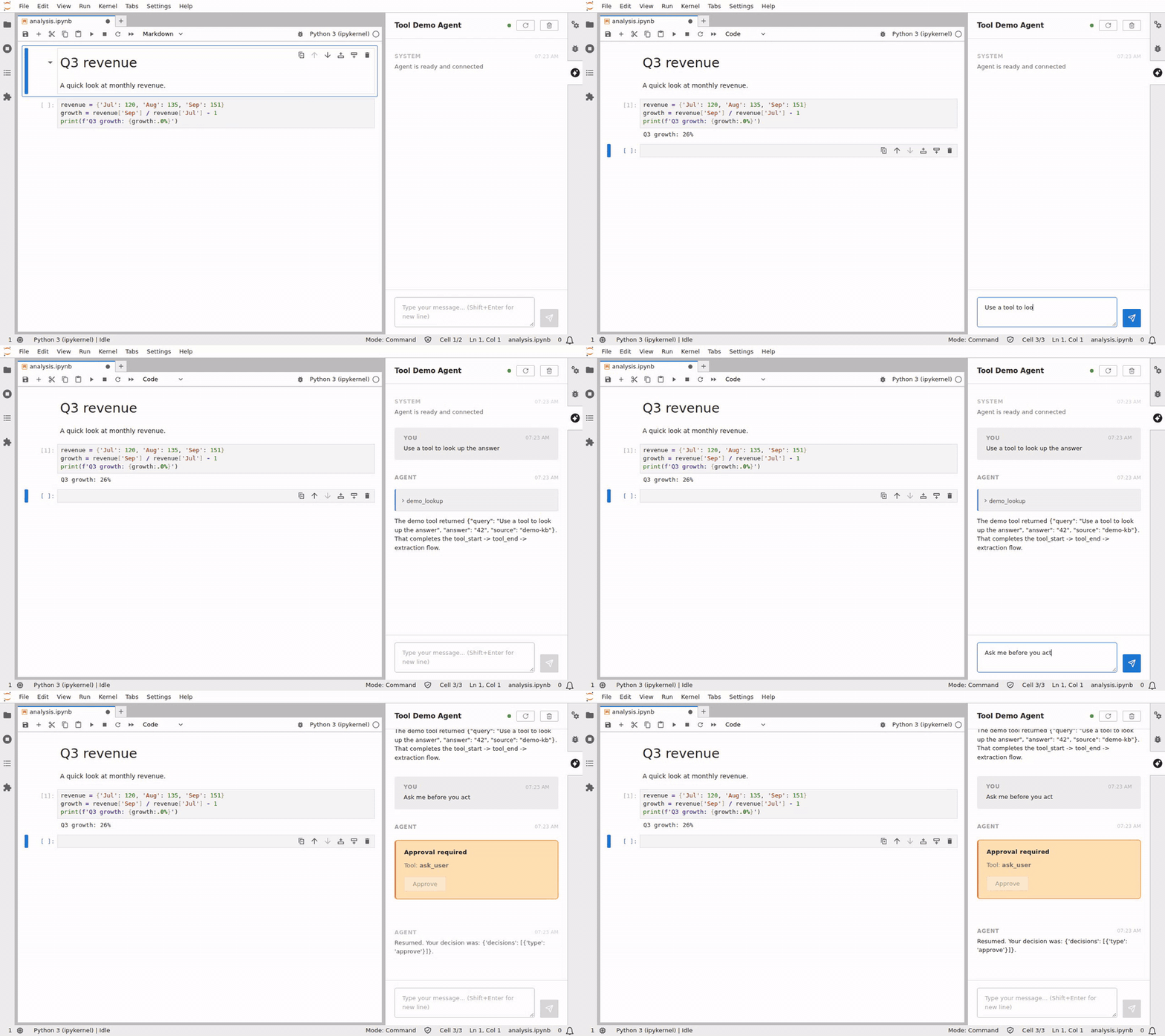
Demo
Launcher options
| Option | What it does |
|---|---|
-a, --agent SPEC |
The agent to load. |
--demo |
The built-in keyless echo agent. |
--show-config [--json] |
Print the resolved config and exit. |
--verify |
Load the agent and run one real turn; exit 0/1. |
--ask "PROMPT" |
Run one turn, print the reply, exit (0 complete, 1 error, 2 interrupted). No browser, no server. |
--serve-check |
Boot the server extension headless and serve one turn over HTTP; exit 0/1. |
--check-connection |
For manual setups: check that LANGSTAGE_JUPYTER_SERVER_URL and LANGSTAGE_JUPYTER_TOKEN reach a running Jupyter; exit 0/1. |
--version |
Print the version. |
Every other option is passed through to jupyter lab (--no-browser, --port 8889,
--ServerApp.root_dir=…).
--asktakes its prompt as the next argument. For a prompt that starts with-, write--ask=VALUE. A bare--askor-ais an error, not a launch.-a=SPECworks like--agent=SPEC.- A malformed spec (for example
-a my_agent.pywith no:graph) is an error. It never silently falls back to the default agent.
langstage-jupyter --demo --ask "hello"                          # keyless one-shot
langstage-jupyter -a my_agent.py:graph --ask "2+2?" | grep -q 4 # with a real model: stdout is only the reply
langstage-jupyter -a my_agent.py:graph --serve-check            # the HTTP endpoint works
Ports and several sessions
Each launch is its own process with its own port and token, and its notebook tools talk only to its own Jupyter server:
langstage-jupyter -a agent_a.py:graph    # -> localhost:8888
langstage-jupyter -a agent_b.py:graph    # -> localhost:8889
Without --port, the launcher scans 8888–8987 (LANGSTAGE_JUPYTER_PORT_ATTEMPTS
widens it) and takes the first port that is free on every local address (the
wildcard address, 127.0.0.1 and ::1), so a second plain launch moves to the next
free port on Windows too. The printed URL and the agent's notebook tools use that
port. A pinned port (--port or --ServerApp.port) that is busy fails the launch
instead of moving, because the agent's notebook tools point at the port you pinned.
--port 0 is refused for the same reason.
Two sessions launched from the same directory serve the same notebooks, so launch from different directories for separate workspaces.
The workspace root
The agent's file tools and its notebook tools must agree on one directory:
- Without a pinned workspace, it's the directory JupyterLab serves (where you
launched).
LANGSTAGE_WORKSPACE_ROOTis set to it before your agent is imported, so an agent can read it at import time. - With a pinned
LANGSTAGE_WORKSPACE_ROOT(env,[workspace] rootinlangstage.toml, or the launch directory's.env), the launcher serves that directory (--ServerApp.root_dir), so the file browser, the file tools and the notebook tools all use it. - If you pass your own
--notebook-dir/--ServerApp.root_dir, or startjupyter labyourself, and it differs from the pinned workspace, the launcher and the server log warn you, naming both directories. - Notebook tools refuse paths that leave the serving root (
.., a drive letter, a UNC path).
Notebook tools and open tabs
The default agent can create, edit and run notebooks. When the agent writes to a
notebook that is open in a tab (create_notebook, insert_*_cell, modify_cell,
delete_cell, execute_cell), the tab reloads from disk, so your next save
doesn't overwrite the agent's cells. If the tab has unsaved edits of yours, it isn't
reloaded (that would discard them); the sidebar says so and points you to
File > Reload Notebook from Disk.
execute_cell interrupts the kernel when a cell times out and keeps its partial
output, and a cell that reads stdin (input()) fails at once instead of hanging.
Your own agent
A custom agent gets the notebook tools only if you pass them. Leave them out and it can still read and write files, but not create, edit or run cells.
Needs deepagents and an API key
This recipe uses deepagents and Anthropic:
pip install deepagents langchain-anthropic and set ANTHROPIC_API_KEY.
import os

from deepagents import create_deep_agent
from deepagents.backends import FilesystemBackend
from langgraph.checkpoint.memory import MemorySaver
from langstage_jupyter.notebook_tools import NOTEBOOK_TOOLS

# Set by langstage-jupyter before your agent is imported.
workspace = os.getenv("LANGSTAGE_WORKSPACE_ROOT", ".")

agent = create_deep_agent(
    name="my-custom-agent",                     # shown in the chat header
    model="anthropic:claude-sonnet-4-6",
    backend=FilesystemBackend(root_dir=workspace, virtual_mode=True),
    checkpointer=MemorySaver(),
    tools=[*NOTEBOOK_TOOLS],                    # add your own tools too
)
In the sidebar
- Context-aware. Each message carries the focused notebook or file, the current directory, and your selection.
- Human-in-the-loop. A paused agent shows Approve, Reject and Edit buttons for the verbs the interrupt allows. See Human-in-the-loop.
- ⟳ Reload reloads your agent without restarting JupyterLab. Clear starts a new thread.
- Status light. Green: the agent can run a turn. Orange: it loaded but can't run
yet (for example
ANTHROPIC_API_KEYis missing for the default agent); hover for what to fix. Red: the agent module didn't load.
Configuration
The same spec and config as every stage: -a, LANGSTAGE_AGENT_SPEC, or
[agent] spec in langstage.toml. Jupyter-specific settings:
| Env var | Purpose | Default |
|---|---|---|
LANGSTAGE_JUPYTER_TOKEN (jupyter.token) |
Pin the launcher's token. | generated |
LANGSTAGE_JUPYTER_SERVER_URL |
Server URL, for manual setups only. | set by the launcher |
LANGSTAGE_JUPYTER_PORT_ATTEMPTS |
How many ports to scan. | 100 |
LANGSTAGE_MODEL_TEMPERATURE |
The default agent's temperature. An unusable value is ignored with a note. | 0.0 |
The launcher picks the token in this order: --IdentityProvider.token /
--ServerApp.token, then LANGSTAGE_JUPYTER_TOKEN, then JUPYTER_TOKEN, then a
generated one. The banner masks it.
Manual setup. To run plain jupyter lab, set LANGSTAGE_JUPYTER_SERVER_URL
and LANGSTAGE_JUPYTER_TOKEN yourself, start
jupyter lab --IdentityProvider.token=$LANGSTAGE_JUPYTER_TOKEN on the matching
port, and confirm with langstage-jupyter --check-connection.