LangStage
Every stage for your LangGraph agent.
Write your agent once — any LangGraph CompiledGraph, from a single ReAct agent
to a multi-agent supervisor — and run it on every surface with the same
spec string, the same langstage.toml config, and the same LANGSTAGE_*
environment variables. The web, your terminal, JupyterLab, and VS Code all
become stages your agent can perform on.
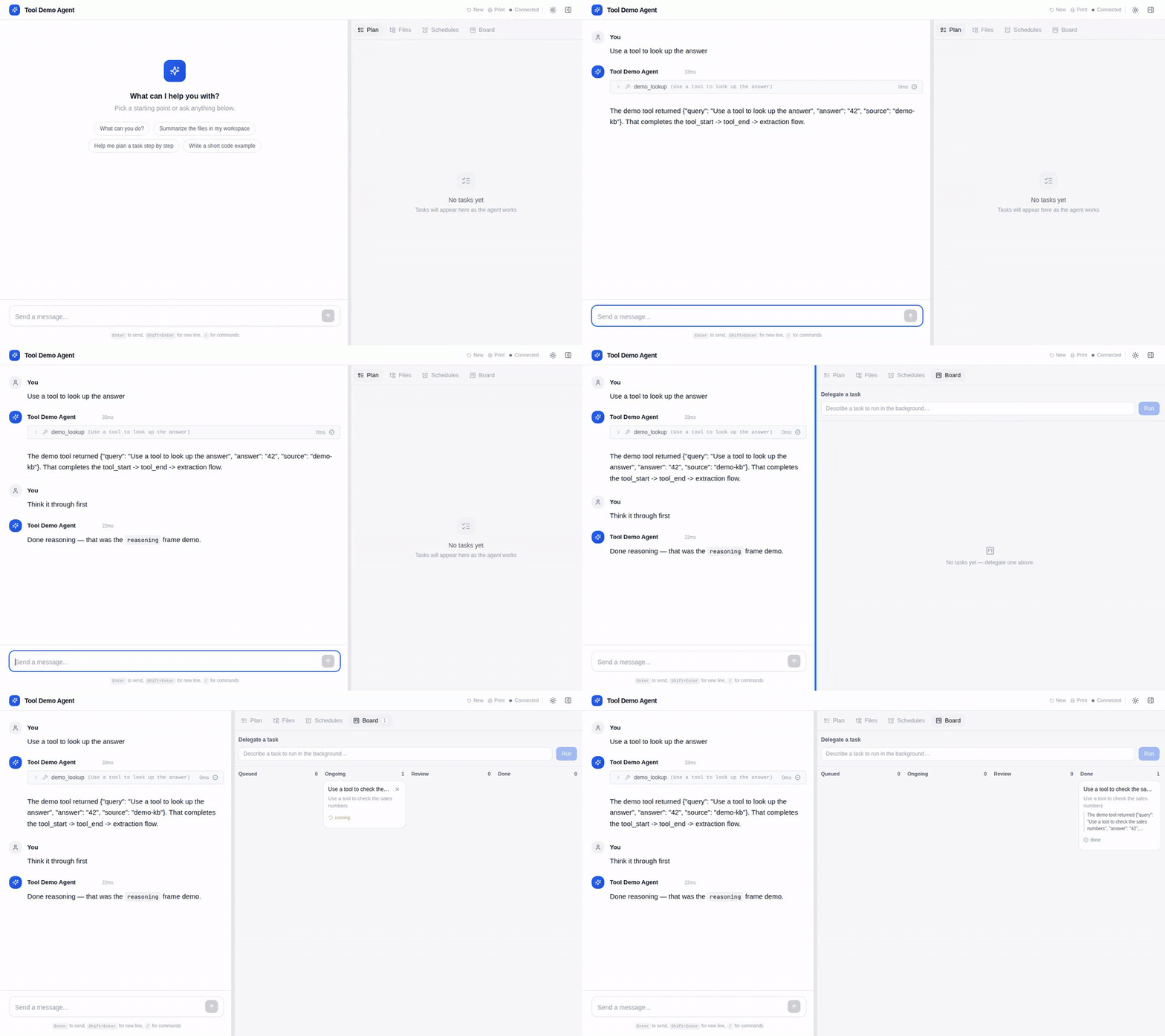

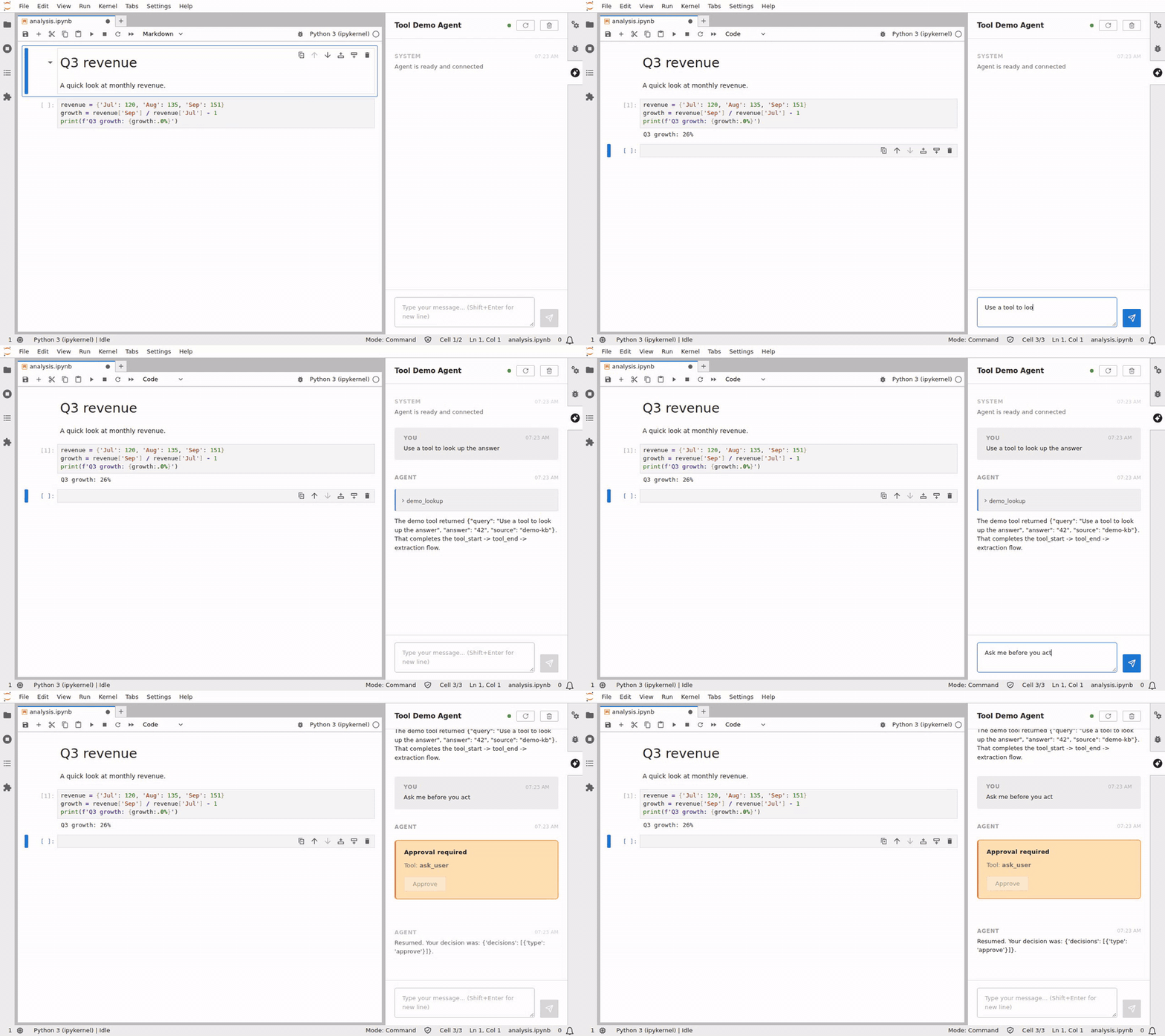

One agent spec, four of the stages. Every demo runs the keyless demo agent
(langstage_core.demo.tools:graph) against the latest releases, and CI re-records
them when a release lands.
Multi-agent? It already works.
A supervisor, swarm, or crew compiles to the same CompiledStateGraph
LangStage loads — so multi-agent routing and hand-offs run and stream exactly
like a single agent, with no extra setup. See
Running a multi-agent supervisor.
30-second quickstart
No agent or API key yet? See a stage working with the built-in keyless demo agent:
Then point it at your agent — a Python file (or module) that exports a
LangGraph CompiledGraph:
That same my_agent.py:graph spec runs unchanged on every other stage below.
The family
| Stage | Package | Try it |
|---|---|---|
| Web app | langstage |
langstage run --agent my_agent.py:graph |
| Terminal | langstage-cli |
langstage-cli -a my_agent.py:graph |
| JupyterLab | langstage-jupyter |
langstage-jupyter -a my_agent.py:graph, then the chat sidebar |
| VS Code | langstage-vscode |
the LangStage panel (VS Code, Cursor, VSCodium, Windsurf, code-server), or @langstage in Copilot chat (sidecar from PyPI + the .vsix from the GitHub release) |
| Reference agent | langstage-hermes |
langstage-hermes demo, or -a langstage_hermes.agent:graph on any stage |
| Shared core | langstage-core |
spec loading, layered config, the AG-UI bridge and the task engine behind every stage; langstage-agui serves any agent over AG-UI |
Why LangStage
- Write once, run anywhere. A single
module:attr/path/to/file.py:attrspec string is understood identically by every stage. - Keyless demos everywhere. Every surface has a deterministic, keyless demo
(
--demoon most;langstage-hermes demo), and a tool demo (langstage_core.demo.tools:graph, or--demo=tools) shows tool calls, reasoning and an approval prompt without an API key. - One config story.
defaults < ~/.langstage/config.toml < langstage.toml <
  LANGSTAGE_* env < flags
. Inspect the resolved values anywhere with--show-config, and gate CI on them withlangstage config --strict. - Preflights and scripts. Every surface can check an agent in one command
(
--verify,check --live,--selfcheck), run one turn and print the reply, and uses the same exit codes:0ok,1failed,2paused for a human,64usage error. - Human-in-the-loop on every stage. One set of
decision verbs (
approve,edit,reject,respond), with approval buttons in the web app, JupyterLab and VS Code, and a menu in the terminal. - Built on the standard. Pure LangGraph; every surface streams through the official AG-UI adapter, and the same frames are available to your own code.
Coming from deepagent-* or cowork-dash?
Every package was renamed into the LangStage family. Your old pip installs,
imports, and commands still work — see Migrating.
Start with Installation →